A calmer LinkedIn inbox.
in.social is a Chrome extension that reskins your LinkedIn messages. One quiet list, fast search, and the threads you owe a reply to, kept in view. Your messages stay on your machine.
Take a look
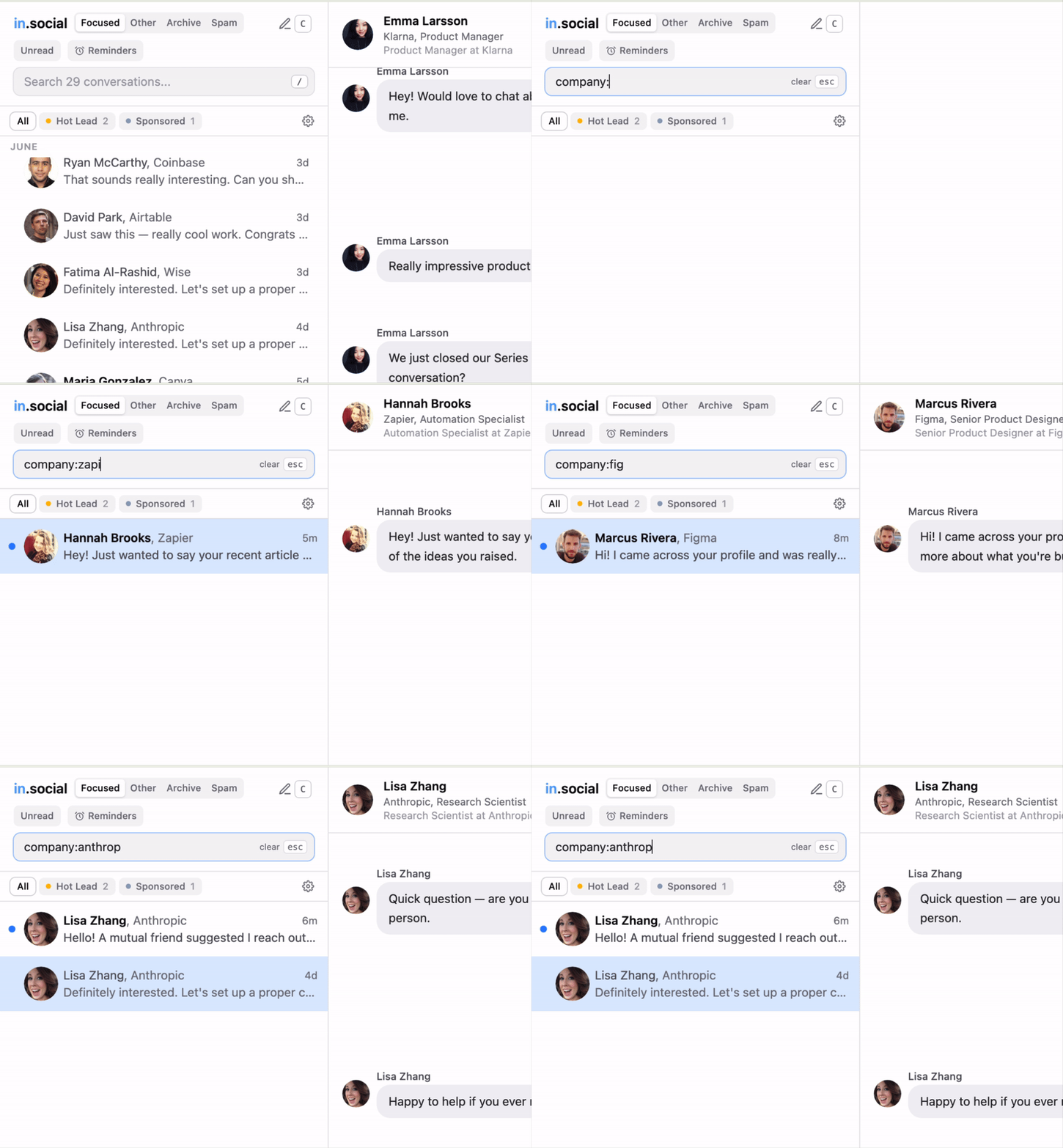
Search by company
Type a company name to see every conversation with someone who works there. The right thread is one search away.
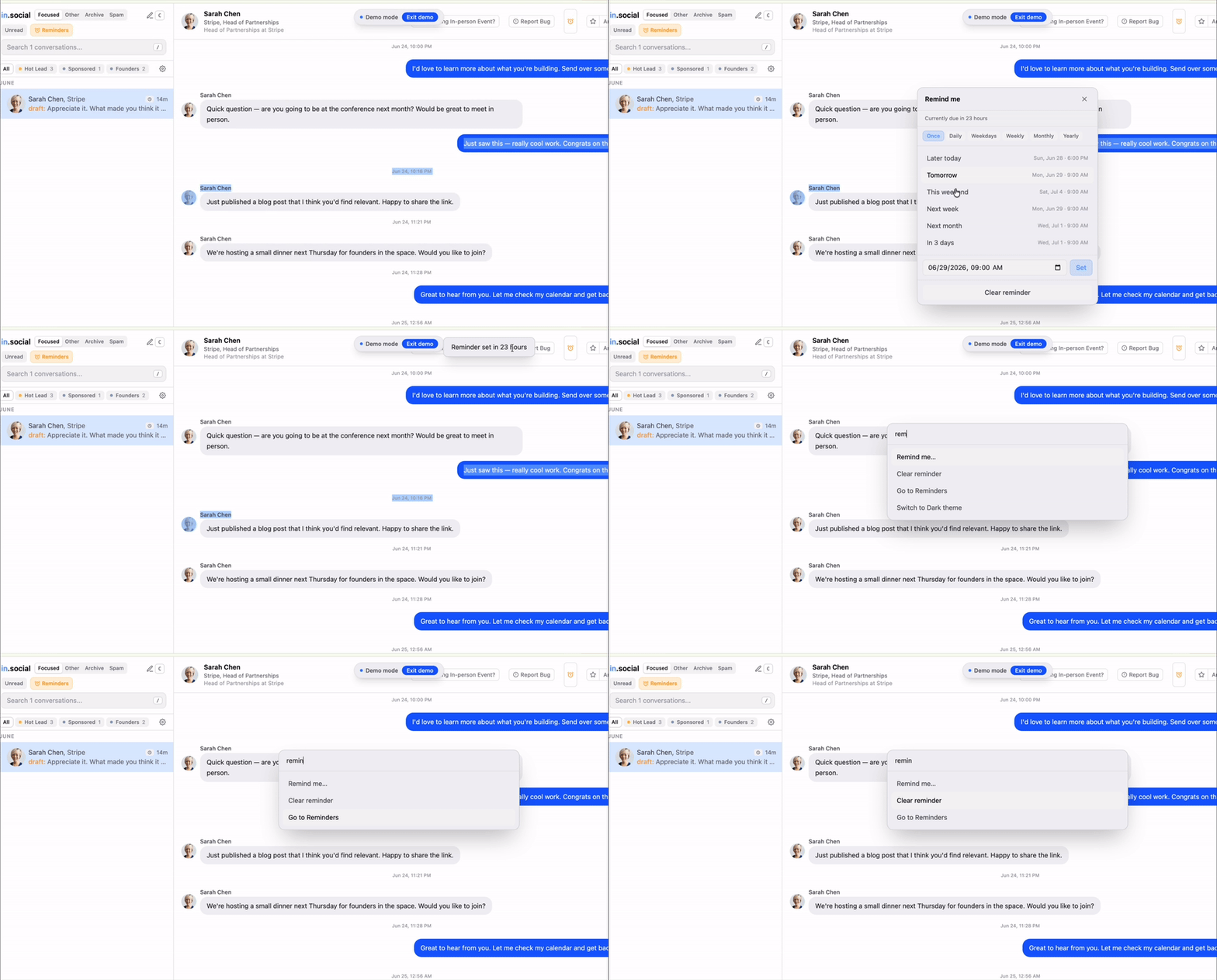
Set reminders
Snooze a conversation and it returns to the top of your inbox when you choose. No follow up gets forgotten.
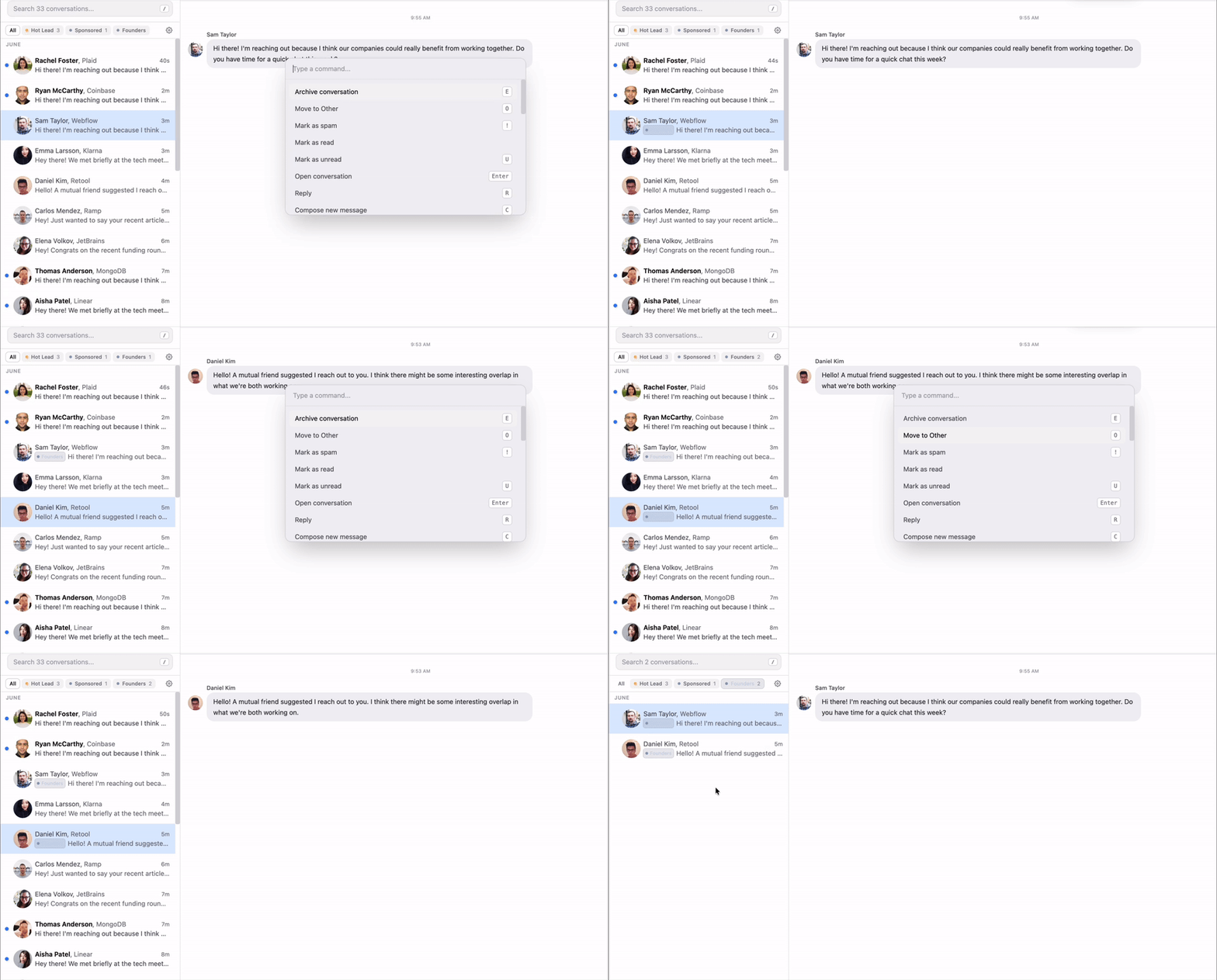
Label conversations
Add a label to any thread and split your inbox into focused lists. The conversations that matter stay in view.
AI Suggestions
Draft a few short replies for the conversation you are reading. Pick one, edit, or skip to write your own.
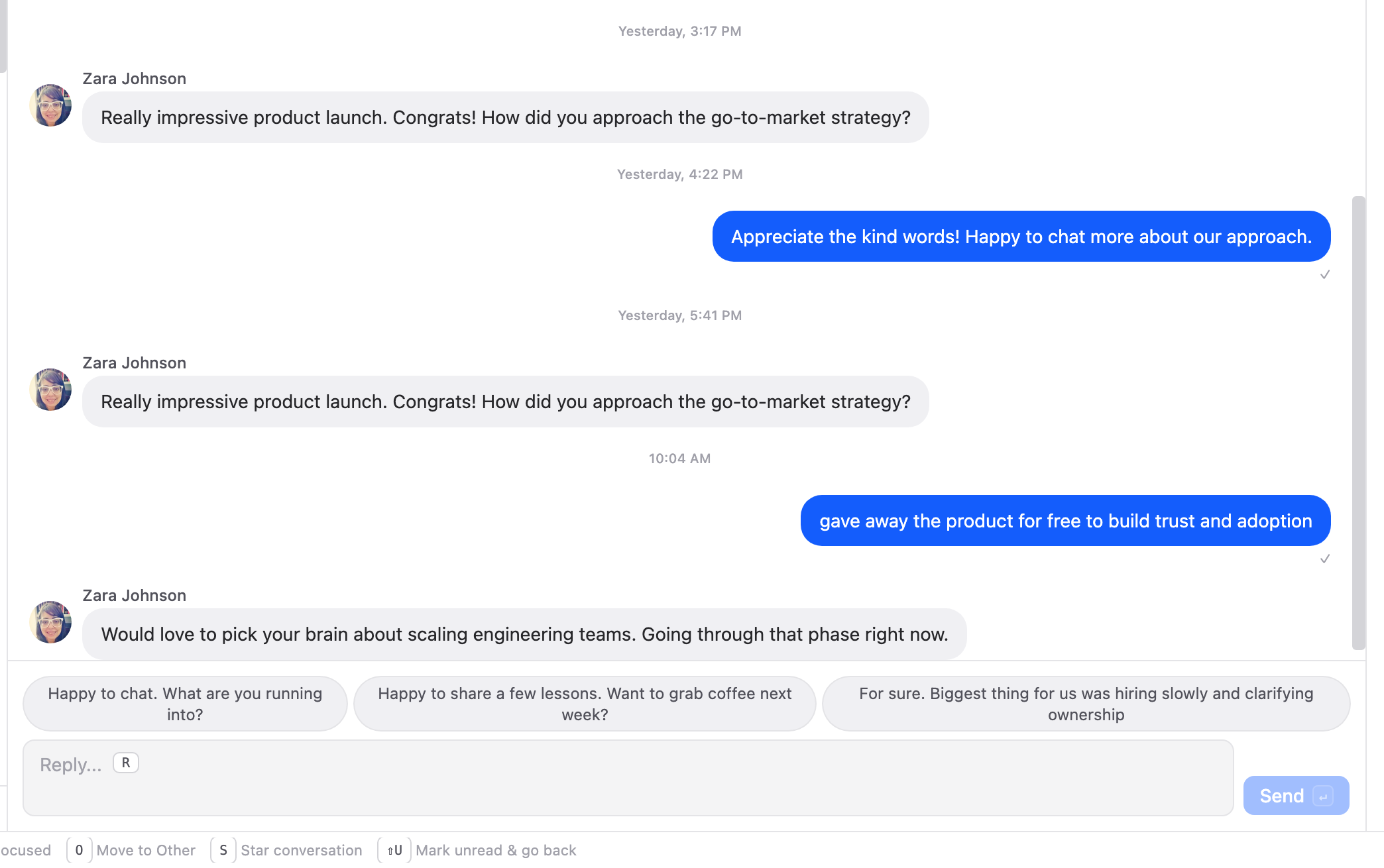
AI is applied only when conversation is open. Nothing is stored, and your inbox is never shared or sold.
If you would rather write every message yourself, turn suggestions off in one click and they stay off until you turn them back on.
Install it
- 1
Open the Chrome Web Store listing and add the extension.
- 2
Open LinkedIn messages. in.social takes over the inbox.
What it does
- One list of every conversation. No feed, no ads, no notifications.
- Search across your messages and jump straight to a thread.
- See who replied and who is still waiting on you.
- Your messages stay in the browser. Nothing is uploaded.